
Meeting Translation Software Comparison for Chinese Speakers


For Mandarin–English calls entirely inside Tencent Meeting, start your meeting translation software comparison with its built-in AI interpretation and your account’s allowance. If your company already has eligible Microsoft Copilot licenses, check Teams Interpreter first—but distinguish personal simultaneous listening from organizer-activated consecutive interpretation. For meetings across several apps, or with Japanese and Korean partners, compare standalone tools by exact language direction and audio routing. (meeting.tencent.com)
Documentation checked: November 29, 2026. Published by Deeptrue. This is a comparison of official documentation, not hands-on testing or an accuracy ranking; the Tencent and Teams recommendations follow their [current help][tencent] and [administration documentation][teams-admin].
What does this meeting translation software comparison show?
Start with who receives the translation and who needs an entitlement, not the advertised number of languages. Captions you can read, translated audio you can hear, and translated speech sent to a colleague are different capabilities.
The matrix keeps iFLYTEK’s interpretation-focused 讯飞同传 separate from its recording/transcription product 讯飞听见. It also separates the 通义听悟 (Tongyi Tingwu) consumer application from Alibaba Cloud’s developer service, and 飞书 (Feishu) from Lark.
How to read the table: “Not verified” means not verified in the reviewed official documentation, not “unsupported.” Language entries distinguish recognition from translation where the sources do; Chinese script options are stated only where verified. All source checks are dated November 29, 2026, with older publication/update dates identified separately below.
Product and exact client/mode | Relevant spoken → translated languages | Captions or translated speech | Audio source/platform scope | What other participants must do | Available meeting records | Pricing model and verified amount | Dated evidence |
|---|---|---|---|---|---|---|---|
讯飞同传 — PC 快速同传; desktop/mobile translation | Chinese ↔ English, Japanese and Korean documented; complete text-versus-voice and script matrix not verified. [Language documentation][ifly-interp] | Live translated text; shared synthesized audio. [Output][ifly-interp] | Desktop/mobile translation; exact capture route and meeting-microphone output not verified. [Workflow][ifly-interp] | Open a shared link or QR code; no download or registration required. [Sharing][ifly-interp] | Export original/translated text; retain original audio. [Records][ifly-interp] | China iOS: CNY 12 recurring monthly 畅享包; CNY 18 for five hours. Desktop entitlement not verified. [Store][ifly-interp-store] | Help dated Nov. 12, 2024; checked Nov. 29, 2026. (iflyrec.com) |
讯飞听见 — PC recording; mobile recording translation | Exact Chinese ↔ English/Japanese/Korean client-specific translation matrix not verified. The advertised eight-language total is not enumerated in the reviewed listing. [PC][ifly-capture] / [Store][ifly-rec-store] | PC transcription and translation settings; mobile live translated text. Outgoing translated voice not verified. [PC][ifly-capture] / [Mobile][ifly-guide] | PC captures system audio, microphone audio, or both. [Capture][ifly-capture] | Local capture/display documented; recipient translated-speech workflow not verified. [Workflow][ifly-capture] | Post-recording text exports and AI summaries. Live translation is not automatically saved; see below. [Records][ifly-guide] | China iOS monthly renewal: CNY 18 for 录音转写包; CNY 88 for 畅享包. Not verified interpretation allowances. [Store][ifly-rec-store] | Checked Nov. 29, 2026. (iflyrec.com) |
通义听悟 — consumer website, distinct from cloud API | Consumer page advertises multilingual translation without a complete list. Cloud FAQ documents bidirectional real-time text translation among Chinese, English, Japanese and Korean; this is not a guarantee for every consumer client. [Consumer][tingwu-app] / [Cloud FAQ][tingwu-faq] | Consumer page advertises live speech-to-text and translation; spoken-output workflow not verified. [Application][tingwu-app] | Consumer website access documented; complete capture route not verified. Developer API is a separate implementation path. [Introduction][tingwu-intro] / [API][tingwu-api] | Consumer participant requirements not verified. [Application scope][tingwu-app] | Speaker differentiation advertised; exact consumer export and saved bilingual-record behavior not verified. [Application][tingwu-app] | Personal application use described as free; current numeric quota not verified. API duration billing is separate. [Introduction][tingwu-intro] / [API][tingwu-api] | Checked Nov. 29, 2026. (tingwu.aliyun.com) |
腾讯会议 — AI 同传, client 3.42.0+ | Listening languages: Mandarin Chinese and English. [Languages][tencent] | Personal translated listening. [Output][tencent] | Tencent Meeting audio on Windows, macOS, Android and iOS. [Clients][tencent] | Each listener enables it; hosts can disallow it. [Controls][tencent] | Interpretation is not retained in recordings. [Recording limit][tencent] | Free: 40 minutes/month. Professional/Business advanced accounts: 100. Add-ons: 1,000/2,000/5,000 minutes; cash price not verified. [Allowances][tencent-quota] | Checked Nov. 29, 2026. (meeting.tencent.com) |
Microsoft Teams — Interpreter, simultaneous or consecutive | Mandarin Chinese, English, Japanese and Korean supported. [Languages][teams-admin] | Personal simultaneous listening or separately billed consecutive interpretation. [Modes][teams-admin] | Teams audio. [Workflow][teams-user] | Simultaneous: eligible listener licenses. Consecutive: eligible organizer and configured billing; listeners need no Copilot license. [Requirements][teams-admin] | Original audio/transcript retained, not live interpretation. [Records][teams-user] | US Copilot add-on: USD 30/user/month, paid yearly; qualifying subscriptions separate. Simultaneous: 20 hours/user/month. Consecutive: Copilot Credits. [Price][copilot-price] / [Metering][teams-admin] | Admin page updated Nov. 18, 2026; checked Nov. 29. (learn.microsoft.com) |
Deeptrue — macOS 13+/Windows 10+ desktop app | Chinese, English, Japanese and Korean are selectable among 31 supported languages. Chinese text output: Simplified or Taiwan Traditional. Cantonese is not offered. | Live Translated Caption overlay; Smart Suggestion sentences you read aloud; Interpreter Mode sends AI-generated translated speech through Deeptrue Microphone. | Captures sound played by other computer apps, excluding Deeptrue itself; works alongside desktop meeting apps or browser tabs. | Only the translation user runs Deeptrue. Other participants install nothing and need no account. Interpreter Mode requires selecting Deeptrue Microphone in the meeting app. | Automatic original and translated transcripts with speaker labels. | Free: 60 minutes total. Monthly per member: Pro USD 29/300 minutes; My Voice USD 39/500 minutes; Business USD 49, 800 minutes/seat pooled. Limits and overages below. | Supplied product fact sheet, Nov. 27–29, 2026. |
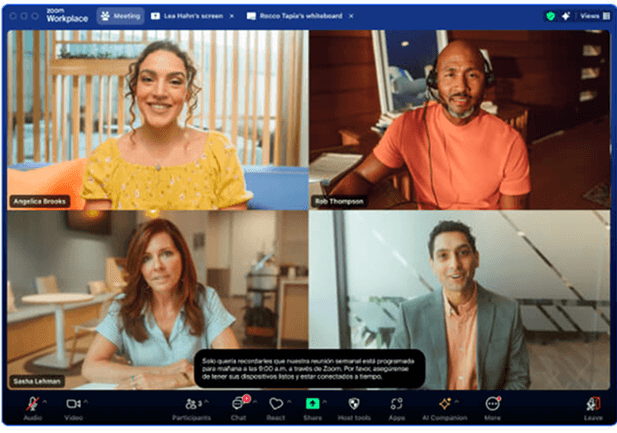
Zoom — translated captions in meetings/webinars | Caption languages include Simplified/Traditional Chinese, English, Japanese and Korean; check configured language pairs. [Languages][zoom-config] | Translated text, not voice. [Feature][zoom-config] | Zoom meeting/webinar speech. [Workflow][zoom-view] | Eligible host configures languages; participants enable captions and choose their translation language. [Participant steps][zoom-view] | Translated-caption export details not verified. [Reviewed documentation][zoom-config] | Eligible host plan or assigned Translated Captions add-on; contact Sales for pricing. [Entitlements][zoom-config] | Checked Nov. 29, 2026. (support.zoom.com) |
飞书 — meeting subtitles | Recognition: Chinese, English and Japanese. Translation targets are not additional recognized speaking languages. [Languages][feishu-help] | Translated subtitles with optional bilingual display. [Feature][feishu-help] | Feishu meeting audio. [Workflow][feishu-help] | Confirm account entitlement and subtitle settings. [Controls][feishu-help] | Historical subtitles can be reviewed in the recording’s Minutes transcript if recording was enabled. [Records][feishu-help] | Official indexed personal AI page lists CNY 69/month and 3,000 ASR transcription minutes/month; confirm current purchase terms. These are not voice-interpretation minutes. [Indexed pricing][feishu-price] | Official indexed text reviewed Nov. 29, 2026; direct pages returned no readable body. (feishu.cn) |
Lark — meeting subtitles | Recognition: Chinese, English and Japanese; multilingual translated text. Do not infer Korean speech recognition from translation targets. [Languages][lark-help] | Original and translated subtitles can appear together. [Feature][lark-help] | Lark meeting audio. [Workflow][lark-help] | Administrators can turn subtitles off; confirm account entitlement. [Controls][lark-help] | Historical subtitles are available in Minutes if recorded; otherwise translations cannot be reviewed afterward. [Records][lark-help] | Current price not verified; Feishu pricing does not establish Lark pricing. [Reviewed help][lark-help] | Help updated Feb. 27, 2025; official indexed text reviewed Nov. 29, 2026. (larksuite.com) |
Who actually hears the translated speech?
Follow the audio from its source to its destination. A tool can produce a useful translation yet still fail the task because the colleague never receives its output.
Does the meeting platform translate only for the listener?
Meeting-platform audio → personal captions or translated listening → you
Tencent’s AI 同传 provides personal listening in Mandarin or English; each listener enables it separately. These are Tencent Meeting facts, not verified VooV entitlements. [Tencent help][tencent] (meeting.tencent.com)
For Teams’ individual simultaneous-listening experience, external participants need verified Microsoft 365 accounts with valid Copilot licenses; anonymous and guest participants cannot use it. Consecutive interpretation is different: an eligible organizer activates separately billed interpretation for everyone. [Participant rules][teams-user] / [Mode requirements][teams-admin] (support.microsoft.com)
Does a standalone app capture the computer or just the microphone?
Computer playback → standalone translation app → your display or a shared destination
Check microphone capture and system-audio capture separately. With headphones connected, test whether the tool receives the remote speakers’ voices—not just your own microphone.
讯飞听见’s PC documentation offers system audio, microphone audio, or both. It should not be described as phone-only recording. [Recording modes][ifly-capture] (iflyrec.com)
讯飞同传 shares captions and synthesized translated audio through a link or QR code, without recipient download or registration. This does not establish output through the original meeting’s microphone channel. [Sharing workflow][ifly-interp] (iflyrec.com)
Deeptrue captures sound played by other applications on the computer, excluding itself. Its Live Translated Caption appears as a semi-transparent overlay on the meeting screen. It works alongside Zoom, Google Meet, Teams, Webex, Tencent Meeting/VooV, WeChat, DingTalk and Lark/Feishu; these are parallel desktop workflows, not API integrations.
Can your translated reply enter the original meeting?
Your speech → translated voice → meeting microphone input → other participants
For Deeptrue’s Interpreter Mode, the setup is:
- Run the desktop app and choose your language and the other side’s language.
- Select Deeptrue Microphone as the microphone in the meeting app.
- Speak in your own language; Deeptrue sends the translation through that virtual microphone in an AI-generated voice.
Other participants receive that output through the meeting without installing Deeptrue or creating an account. By contrast, Smart Suggestion (Assistant Mode) displays suggested sentences in the target language for you to read aloud in your own voice—it is not automatic outgoing speech.
How should you compare prices without mixing different services?
Compare the purchase channel, client entitlement, billing period, included unit, session cap and overage rule. Do not treat transcription hours, interpretation minutes and monthly subscriptions as interchangeable purchases.
What do the Chinese-app prices actually buy?
The reviewed China App Store purchases for 讯飞同传 include CNY 12 for recurring monthly 畅享包, CNY 16 for a one-month package, CNY 18 for five hours and CNY 60 for 30 hours. These are iOS purchase examples—not verified desktop or enterprise prices. The package name 畅享包 does not prove unlimited use. [App Store purchases][ifly-interp-store] (apps.apple.com)
For 讯飞听见, the listing shows monthly renewal prices of CNY 18 for 录音转写包, associated with 30 hours of app-recorded-audio transcription, and CNY 88 for 畅享包, associated with 50 hours of machine transcription. Neither establishes an equivalent allowance for outgoing voice interpretation. [Package descriptions][ifly-rec-store] (apps.apple.com)
Tencent’s entitlement page lists:
- 40 interpretation minutes/month for Free; organization free accounts follow Free entitlements.
- 100 minutes/month for Professional and Business advanced accounts.
- AI Pro 1x, 2x and 5x add-ons providing 1,000, 2,000 and 5,000 interpretation minutes, added to base allowances.
AI features have separate, non-interchangeable quotas. A cash subscription price was not verified in the reviewed pages. [Current entitlement rules][tencent-quota] (meeting.tencent.com)
Alibaba describes personal Tongyi Tingwu application use as free, but the current numeric consumer allowance was not verified. Its cloud developer documentation separately describes API billing by requested duration; that is not the consumer application’s subscription price. [Application introduction][tingwu-intro] / [Developer billing context][tingwu-api] (help.aliyun.com)
What should Teams and Zoom buyers budget for?
Microsoft’s USD 30/user/month figure is the US enterprise Microsoft 365 Copilot add-on’s monthly equivalent paid yearly, under an annual auto-renewing subscription. A qualifying Microsoft 365 plan is separate, so USD 30 is not the complete price of a Teams interpretation deployment. [Enterprise pricing][copilot-price] (microsoft.com)
Copilot includes 20 simultaneous-interpretation hours per user monthly; further access depends on capacity. Consecutive interpretation uses Copilot Credits and requires eligible organizer licensing and a billing policy. [Interpreter administration][teams-admin] (learn.microsoft.com)
Zoom’s documented routes include Workplace Business Plus, Enterprise Essentials, Enterprise Plus, Enterprise Premier, or an assigned Translated Captions add-on. The help page directs buyers to Sales for pricing. [Current requirements][zoom-config] (support.zoom.com)
What are Deeptrue’s monthly limits?
Plan | USD price, monthly billing | Included minutes | Per-session limit | Extra minutes |
|---|---|---|---|---|
Free | $0 | 60 total, not monthly | 60 minutes | — |
Pro | $29/member/month | 300/month | 100 minutes | $0.12/minute |
My Voice | $39/member/month | 500/month | 100 minutes | $0.12/minute |
Business | $49/member/month | 800/seat/month, shared by the team | Unlimited session length | $0.08/minute |
My Voice can deliver interpretation in a clone of the user’s voice after the user records a sample and agrees to the voice terms. Paid plans charge USD by card; Alipay, WeChat Pay and bank transfer are not offered. Unlimited Business session length does not mean unlimited included minutes.
What remains after the meeting?
Ask for each record separately. Do not assume that “meeting notes” means a transcript, a summary and a recording.
Record you need | What the reviewed evidence establishes |
|---|---|
Original transcript | 讯飞同传 and 讯飞听见 document text exports. Teams retains original-language transcripts. Deeptrue saves original text with speaker labels. [讯飞同传][ifly-interp] / [讯飞听见][ifly-guide] / [Teams][teams-user] (iflyrec.com) |
Translated transcript | 讯飞同传 exports translation text. 讯飞听见’s mobile guide documents original, translated or bilingual exports; its PC guidance says live translations are not saved, but post-recording translations can be saved. Deeptrue saves both languages. Zoom and consumer Tingwu export details remain unverified. [讯飞同传][ifly-interp] / [讯飞听见][ifly-guide] (iflyrec.com) |
Summary or action items | 讯飞听见 documents post-recording AI summaries. That does not establish every possible action-item format. No automatic summary or action-item claim is made here for Deeptrue. [Summary workflow][ifly-guide] (iflyrec.com) |
Original audio recording | 讯飞同传 retains original audio. Teams records original audio, not interpretation. [讯飞同传][ifly-interp] / [Teams][teams-user] (iflyrec.com) |
Translated audio recording | Tencent and Teams exclude interpretation audio from recordings. Do not assume live interpretation produces a bilingual audio recording. [Tencent][tencent] / [Teams][teams-user] (meeting.tencent.com) |
Subtitle history | Feishu and Lark document subsequent review in Minutes when the meeting was recorded. Do not assume live subtitles become a saved meeting record. [Feishu][feishu-help] / [Lark][lark-help] (feishu.cn) |
For procurement, request a sample of the actual post-meeting file. Verify whether it contains both languages, speaker labels and the export format you need—not just an attractive live-caption screenshot.
How can you test the right workflow in a short meeting?
Use this as a suggested evaluation exercise, not a report of tests we conducted.
- Use your real setup. Invite a consenting colleague to a short, non-sensitive meeting using your actual app, operating system and headset.
- Check incoming understanding. Have the colleague speak the foreign language and confirm that the Chinese translation reaches the intended display or listening channel.
- Check the reply separately. Speak Chinese and ask the colleague exactly what they heard. Did they need a link, account, license or setting? Do not treat a translated sentence on your screen as proof they received translated speech.
- Test the exact language direction and script. Do not use an English demonstration to verify a Japanese project review or Korean supplier discussion. Check Simplified versus Traditional Chinese output where relevant, and test Cantonese recognition separately if needed.
- Use details that expose meaning errors. Include a name, product term, date, amount and correction—for example: “The revised total is 15,000, not 50,000.” Check the resulting meaning without turning this small exercise into an accuracy percentage.
- Check audio capture with headphones connected. Confirm that remote speech is captured, not just your microphone. Disable unrelated audio sources and check for duplicate playback when multiple interpretation tools are active.
- End the meeting and inspect the record. Look for original text, translated text, speaker labels, summaries and export options individually. Check the allowance deduction and per-session limit.
- Review organizational requirements. Before using confidential material, obtain approval and review the applicable product’s data-handling terms.
Choose the workflow first, then verify it in a short meeting. If you need both personal captions and translated replies across apps, you can evaluate Deeptrue with its Free plan’s 60 total minutes; review Interpreter Mode and current pricing before deciding.
What are the documentation limits?
This article was checked against the supplied official sources on November 29, 2026. That research date is not a vendor release date. Deeptrue product statements come only from its supplied fact sheet, dated November 27–29, 2026; no comparative performance test was conducted.
The remaining verification gaps include:
- Tongyi Tingwu consumer app: exact current quota, complete client-specific language matrix, capture route, spoken-output workflow and export details.
- 讯飞同传: desktop pricing and native meeting-microphone output.
- Tencent: AI subscription cash price.
- Lark: current pricing and account-specific entitlements.
- Zoom: translated-caption export details.
Some Feishu/Lark details were available through official indexed text rather than readable direct pages. This is not account-level verification. Confirm eligibility and purchase terms before subscribing; Feishu’s indexed personal AI price is not presented as a verified checkout quote. (feishu.cn)
China App Store references establish the displayed storefront and currency only. This article makes no claim about mainland-China availability, connectivity, registration eligibility or access, and does not transfer Tencent entitlements to VooV or Feishu commercial terms to Lark.
FAQ
What is the difference between translated captions and voice interpretation?
Translated captions provide text you read. Voice interpretation produces translated speech—but check its destination: personal listening, a shared link, or the meeting microphone. Confirm that the intended colleague actually receives it.
How do 讯飞同传 and 讯飞听见 differ?
讯飞同传 focuses on live interpretation and sharing. 讯飞听见 documents recording, system-audio capture, text translation and summaries. Check their packages separately. [讯飞同传 documentation][ifly-interp] / [讯飞听见 capture][ifly-capture] / [讯飞听见 records][ifly-guide] (iflyrec.com)
Does Tongyi Tingwu support real-time Japanese and Korean translation?
Alibaba Cloud’s FAQ documents bidirectional real-time text translation among Chinese, English, Japanese and Korean. That establishes service capability, not identical availability in every consumer interface or a translated-speech feature. Confirm the exact language direction in the consumer client you intend to use. [Cloud FAQ][tingwu-faq] (help.aliyun.com)
Which languages does Tencent Meeting AI interpretation support?
The help page lists Mandarin Chinese and English as listening languages, requires client 3.42.0 or later, and says each listener enables AI 同传 subject to host permission. Do not assume Japanese or Korean listening is included. [Tencent AI interpretation][tencent] (meeting.tencent.com)
Can everyone hear Teams interpretation if only the organizer has Copilot?
Individual simultaneous listening requires eligible listener licenses. Separately billed consecutive interpretation lets an eligible organizer provide interpretation for everyone, but requires the applicable licensing and Copilot Credits billing policy—not just organizer ownership of Copilot. [Microsoft’s mode requirements][teams-admin] (learn.microsoft.com)
[ifly-interp]: https://www.iflyrec.com/helpCenter_features_tongchuan/helpCenter_features_tongchuan.html [ifly-interp-store]: https://apps.apple.com/cn/app/%E8%AE%AF%E9%A3%9E%E5%90%8C%E4%BC%A0/id1614618257 [ifly-capture]: https://www.iflyrec.com/helpCenter_common_usage/helpCenter_common_usage.html [ifly-rec-store]: https://apps.apple.com/cn/app/%E8%AE%AF%E9%A3%9E%E5%90%AC%E8%A7%81-ai%E5%BD%95%E9%9F%B3%E8%BD%AC%E6%96%87%E5%AD%97%E5%AE%9E%E6%97%B6%E7%BF%BB%E8%AF%91/id1269000865 [ifly-guide]: https://www.iflyrec.com/helpCenter_guide/helpCenter_guide.html [tingwu-app]: https://tingwu.aliyun.com/ [tingwu-intro]: https://help.aliyun.com/zh/tingwu/what-is-tingwu [tingwu-faq]: https://help.aliyun.com/zh/tingwu/faq-about-basic-usage [tingwu-api]: https://help.aliyun.com/zh/tingwu/getting-started-1 [tencent]: https://meeting.tencent.com/support/topic/2226/index.html [tencent-quota]: https://meeting.tencent.com/support/topic/2242/ [teams-admin]: https://learn.microsoft.com/en-us/microsoftteams/interpreter-agent-teams [teams-user]: https://support.microsoft.com/en-us/teams/copilot/interpreter-in-microsoft-teams-meetings-and-calls [copilot-price]: https://www.microsoft.com/en-us/copilot/pricing/enterprise [zoom-config]: https://support.zoom.com/hc/en/article?id=zm_kb&sysparm_article=KB0059081 [zoom-view]: https://support.zoom.com/hc/en/article?id=zm_kb&sysparm_article=KB0060844 [feishu-help]: https://www.feishu.cn/hc/zh-CN/articles/360045408014-%E4%BD%BF%E7%94%A8%E5%AD%97%E5%B9%95%E5%8A%9F%E8%83%BD?slug=true [feishu-price]: https://www.feishu.cn/service/ai?tab=personal [lark-help]: https://www.larksuite.com/hc/en-US/articles/360048487673-use-subtitles
Related posts
Chinese Captions for Japanese Meetings: Follow Along and Reply
Use Chinese captions for Japanese meetings, check Teams, Zoom, and Meet eligibility, prepare Japanese replies, and review bilingual meeting notes.
Tencent Meeting AI Interpretation: Japanese and Korean
Check Tencent Meeting AI interpretation for Japanese and Korean, native caption limits, and ways to reply in Chinese with translated speech.
Zoom Translated Captions Add On Cost: Plans and Guest Access
Check Zoom translated captions add on cost, host eligibility, Japanese and Korean support, and what to verify before buying.
Stay in the loop
Get the latest Deeptrue updates and industry insights delivered to your inbox.