
Meetings with Chinese partners, in your own language
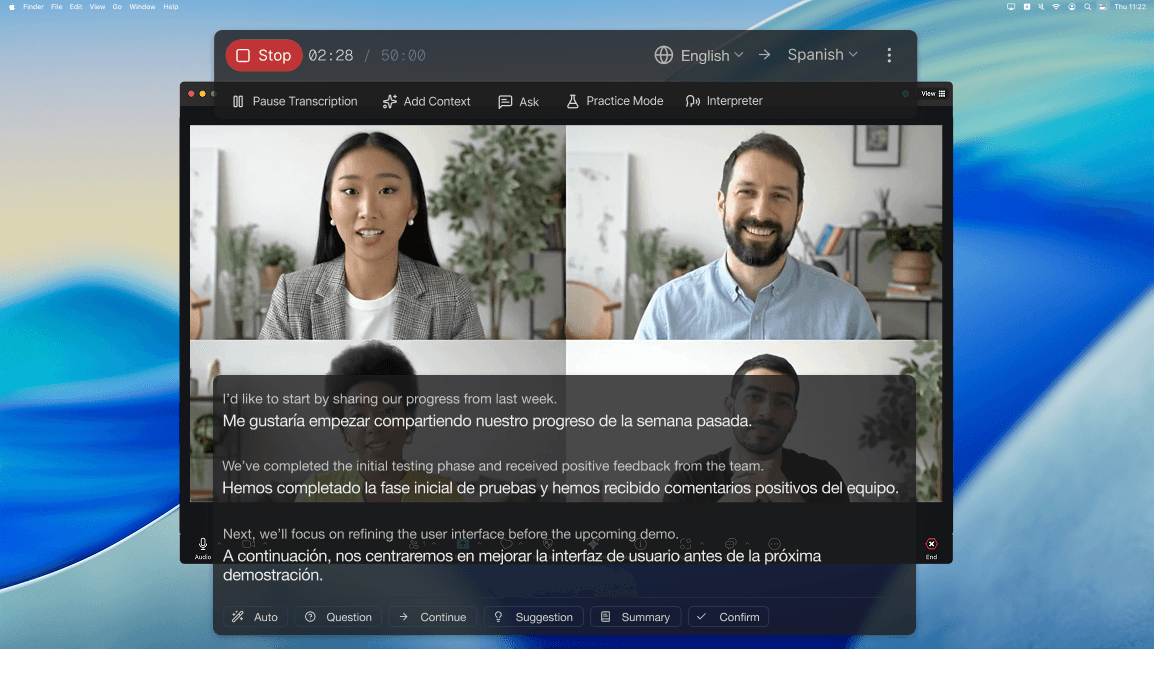
Read what your Chinese counterpart says as live captions in your language, and let them hear you in Chinese. Only you need Deeptrue.
How it works
- 1
Start Deeptrue before the call
Choose your language and Chinese. It works next to Zoom, Teams, Google Meet, Tencent Meeting, WeChat, DingTalk, Lark and other desktop meeting apps.
- 2
Read their Chinese in your language
Every sentence your counterpart says appears with its translation as a caption over the meeting window.
- 3
Speak your language, they hear Chinese
With Interpreter Mode, choose Deeptrue Microphone in the meeting app and your words reach them as natural Chinese speech.
Built for working with China
Supplier and factory calls
Check specs, samples, prices and delivery dates directly with the factory instead of waiting for an agent to relay every message.
Sales calls with Chinese buyers
Present your product and answer questions on the spot, in your own words.
Partner and investor meetings
Keep long discussions moving without booking an interpreter for every call.
Meetings with colleagues in China
Follow regular team meetings with Chinese-speaking colleagues and reply in your own language.
A bilingual record of every call
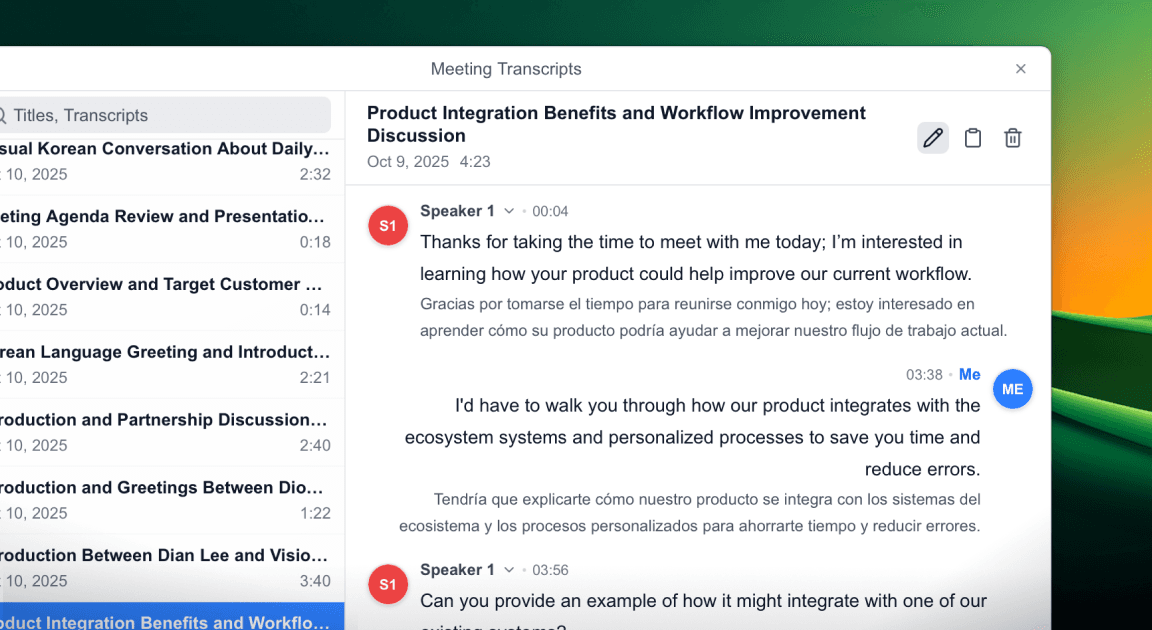
After the call, the original and the translation are saved side by side with speaker labels, so prices, quantities and dates are easy to check later.
Works with the apps your Chinese partners use
Your counterpart sends the link and you join as usual. Deeptrue runs next to the meeting app on your computer.
Have you any questions?
Find answers about meetings with Chinese partners.