
Real-time translation for Lark
Lark, called Feishu in China, is where many Chinese tech companies hold their meetings. Deeptrue adds live translation to your Lark meetings on desktop.
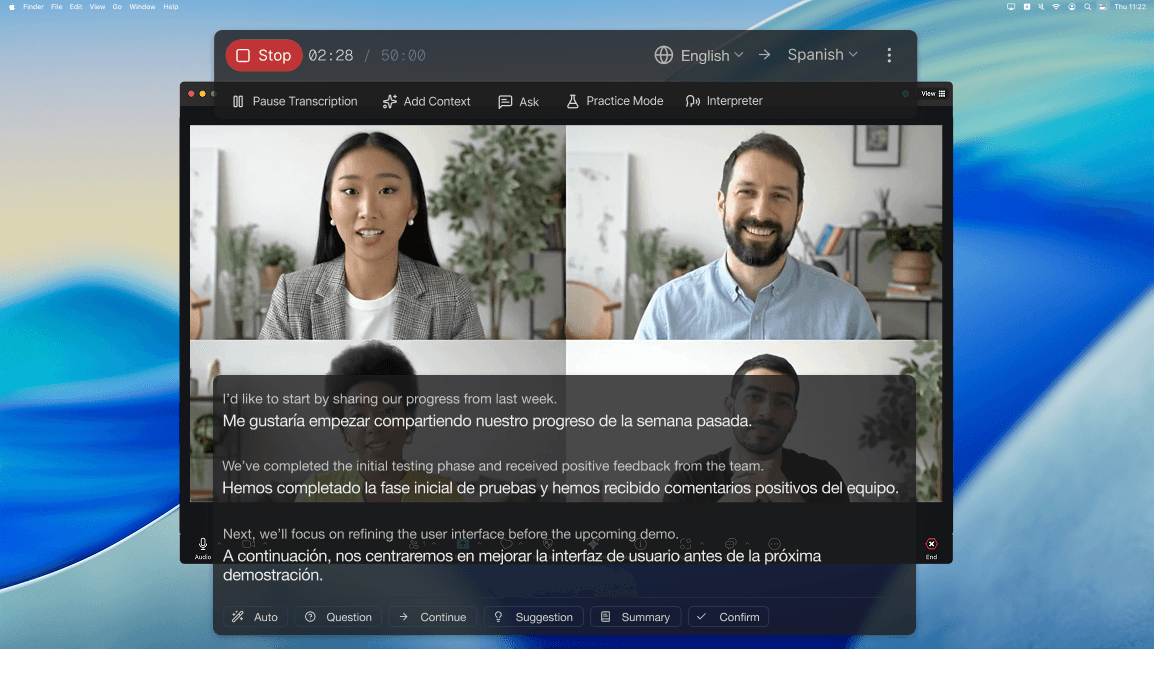
Read their Chinese as live captions
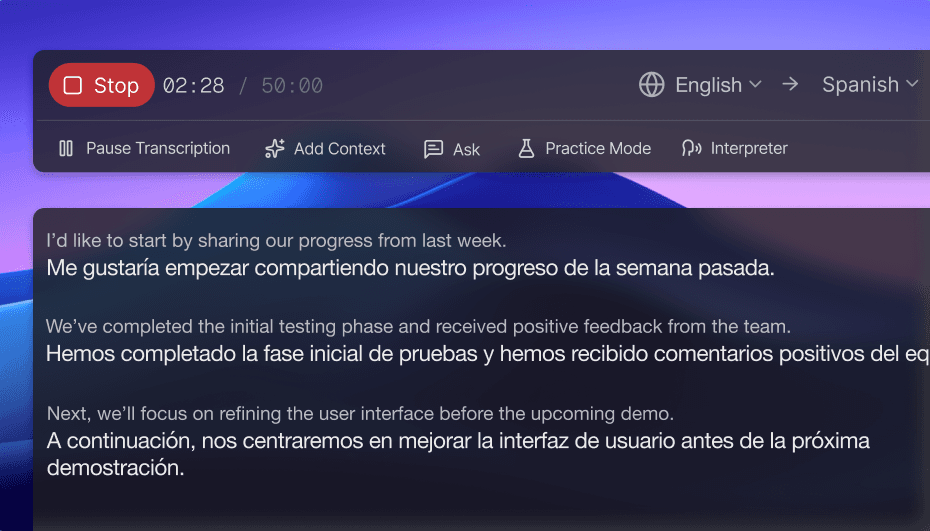
Deeptrue listens to the call on your computer and shows every sentence with its translation as a translucent caption over Lark. No plugin, no bot in the call.
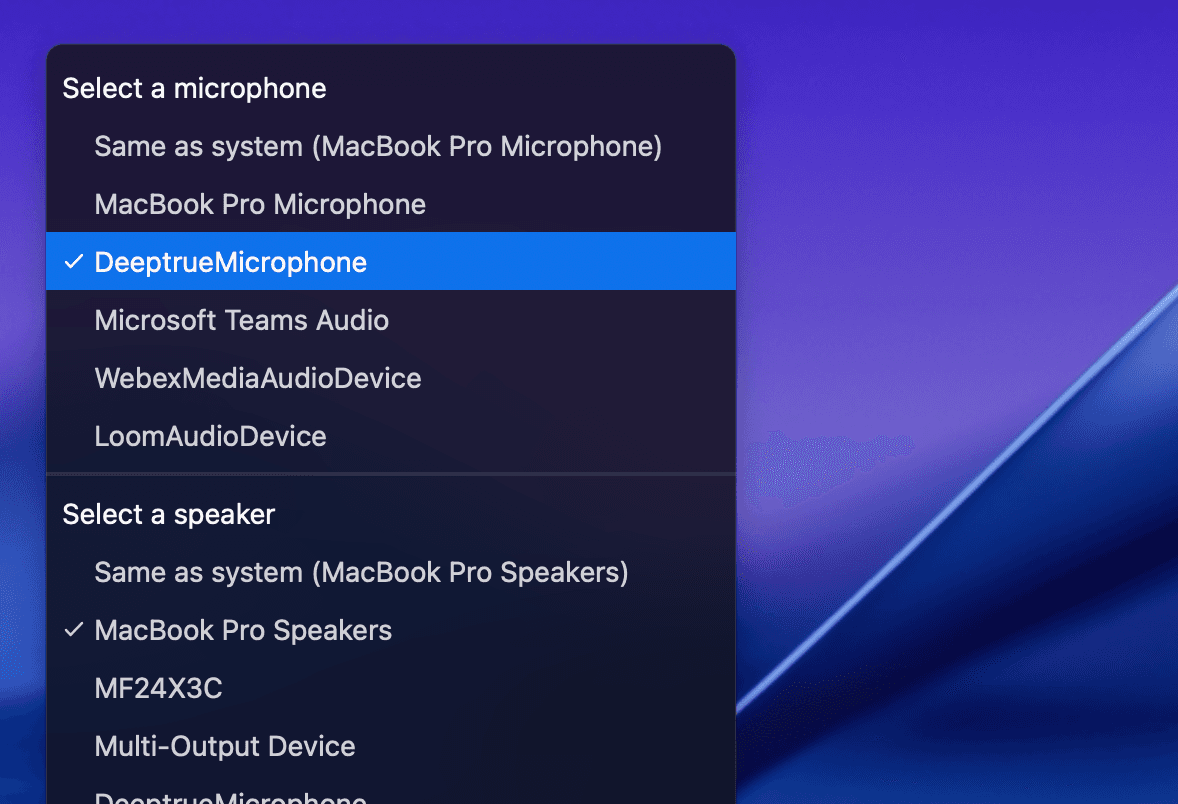
Reply in your language, they hear Chinese
Turn on Interpreter Mode and choose Deeptrue Microphone as your microphone in Lark. You speak naturally, and the other side hears the translation in a natural AI voice.
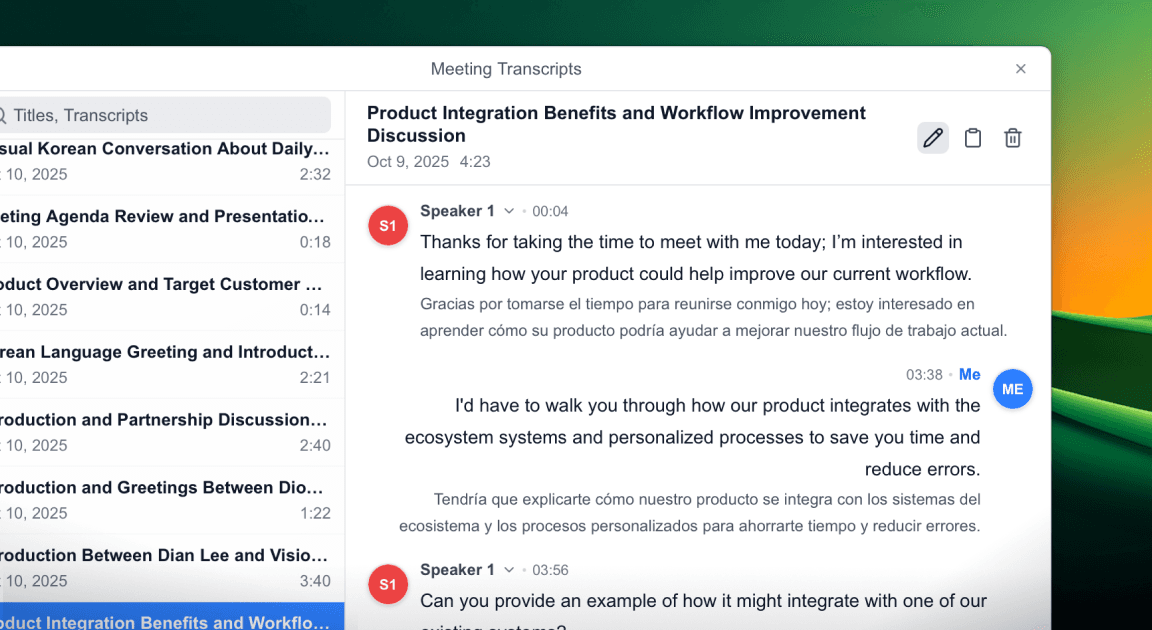
A bilingual record of every call
After the call, the original and the translation are saved side by side with speaker labels, so prices, quantities and dates are easy to check later.
Set up in three steps
- 1
Install Deeptrue on your Mac or Windows PC and sign in.
- 2
Choose your language and Chinese, then start Deeptrue before the call.
- 3
Join the call in the Lark desktop app. Captions appear as soon as people speak.
Other apps for meetings with China
Have you any questions?
Find answers about Lark translation.