


As of November 29, 2026, Tencent Meeting AI interpretation documentation lists Mandarin Chinese and English as listening targets—not Japanese or Korean; it does not establish a complete list of supported spoken inputs. Its separate Business/Enterprise text-translation offering lists Japanese and Korean, but that alone does not confirm Japanese- or Korean-speech-to-Chinese captions. For Chinese-speaking participants who also need to reply in Japanese or Korean, verify the native language directions first, then consider a human interpreter, another meeting platform, or a personal desktop translator. (cloud.tencent.com)
Does Tencent Meeting AI interpretation support Japanese and Korean?
The answer depends on whether you mean translated audio, translated text, or a human interpreter’s audio channel. Tencent uses different names for these features, and access to one does not establish access to the others:
- AI同传 — AI interpretation: AI-generated translated listening audio. The documented listening targets are Mandarin Chinese and English. Japanese and Korean are not listed as targets. (cloud.tencent.com)
- 会议字幕 — meeting captions: on-screen text, with translation options depending on account entitlements and language settings. Tencent’s January 15, 2026 translation announcement lists 17 languages for Business/Enterprise, including Japanese and Korean; it lists Chinese–English translation for Free/Pro. (meeting.tencent.com)
- 同声传译 — human simultaneous interpretation: channels through which a human interpreter delivers spoken interpretation. The channels do not translate speech by themselves. (meeting.tencent.com)
Tencent’s official AI interpretation announcement was published on May 21, 2026, according to the date in the announcement. That announcement does not provide a complete launch language matrix, so it should not be used to infer which language directions were available at launch. (meeting.tencent.com)
For a Chinese-speaking participant, the practical distinction is important: Chinese is a documented AI listening target, but the cited documentation does not establish Japanese or Korean as supported spoken inputs. Conversely, the broader text-translation list is not evidence that native AI interpretation can speak Japanese or Korean to your partners. (cloud.tencent.com)
What version, account and permissions do you need?
The following reflects Tencent’s documentation checked on November 29, 2026. Client version and subscription edition are separate checks: updating the app does not grant a paid entitlement.
Native AI interpretation eligibility >- Minimum client: 3.42.0.- Operating systems: Windows, macOS, Android and iOS.- Listed account categories: Free, M+, Pro, Business, Enterprise, Education and Education Enhanced, subject to AI entitlements. (meeting.tencent.com)- Monthly allowance: 40 minutes for Free; 100 minutes for advanced accounts in Pro and Business. Organizational free accounts receive Free entitlements; Education follows Business. Enterprise and Education Enhanced require confirmation with Tencent. Do not infer an M+ allowance from this list.- Whose minutes: the account of the person enabling AI interpretation, deducted in real time while it is enabled. (meeting.tencent.com)
Check Tencent’s AI interpretation help and current AI entitlement rules against your account.
How do you turn on native AI interpretation?
- Confirm your client version and account allowance.
- In the desktop meeting, open 应用 → 开启AI同传 — Apps → Enable AI Interpretation.
- Check the available listening-language choices for your account.
- Ask each participant who needs interpreted listening audio to enable it individually. (meeting.tencent.com)
The host allows AI interpretation by default but can prohibit it. The host does not need to activate it for every listener, and one participant turning it on does not automatically provide translated audio to everyone. (cloud.tencent.com)
How do you turn on translated captions?
- Confirm that the host or co-host permits participants to use captions.
- Open 应用 → 开启字幕 — Apps → Enable Captions.
- Check the spoken source language and select your desired translation/display language.
- Verify the exact direction you need—for example, Korean speech into Chinese text—before relying on it for a meeting. (meeting.tencent.com)
Tencent’s current caption help requires client 3.7 or later and lists Pro, Business, Enterprise, Education and Education Enhanced users. Its documentation describes unlimited captions as a paid entitlement and says Business, Enterprise and the two Education editions support additional source and translation languages. (meeting.tencent.com)
Do not change the source language casually. It affects everyone’s captions and transcription, unlike selecting your personal translation language. The host/co-host controls whether members may change it. (meeting.tencent.com)
There is a documentation gap: the current help page does not enumerate a complete source-language matrix, and Tencent’s February 26, 2026 cloud caption guide contains inconsistent recognition-language wording. Its notes say Mandarin/English recognition only, while its settings table says higher editions support additional source languages. (meeting.tencent.com)
Ask Tencent or your account administrator two separate questions: “Can this account recognize Japanese/Korean speech?” and “Can it translate that speech into Chinese captions?” Do not treat the 17-language translation list as confirmation of both.
Check the account’s current purchase options rather than assuming an RMB price from launch-period descriptions.
Does VooV Meeting have the same AI interpretation?
The official sources reviewed do not establish feature parity.
Tencent identifies VooV Meeting as its international edition, but that does not make Tencent’s editions, allowances or feature requirements transferable to VooV. (meeting.tencent.com)
VooV’s privacy policy, updated July 15, 2026, explicitly names AI Simultaneous Interpretation. It also cautions that described features may not be available in every jurisdiction. This establishes an official feature reference—not universal availability for every account. (voovmeeting.com)
As of November 29, 2026, the sources reviewed did not establish VooV’s AI interpretation language list, minimum version, activation steps, plan entitlement or price. Check your actual VooV account and request confirmation from VooV support before arranging a Japanese- or Korean-language meeting around it.
Should you use captions, translated speech or a human interpreter?
Start with an option that meets the actual need without unnecessary setup. Reading Chinese captions is a different requirement from sending Japanese or Korean speech back to a partner.
Option | Relevant language direction | Text or audio? | Who enables or installs it? | Whose entitlement or booking? | Works alongside other meeting apps? |
|---|---|---|---|---|---|
Tencent native AI interpretation | Documented listening targets: Mandarin and English; Japanese/Korean input not established | Translated listening audio | Each listener enables it; host can prohibit use | Enabling listener’s AI allowance | Native Tencent feature, not a cross-app tool. (meeting.tencent.com) |
Tencent translated captions | Business/Enterprise translation list includes Japanese/Korean; verify spoken source → Chinese separately | Text | Participant enables captions, subject to host/co-host controls | Relevant Tencent account entitlement; verify edition and language access | Native Tencent feature. (meeting.tencent.com) |
Deeptrue alongside Tencent | Japanese/Korean speech → Chinese captions; Chinese speech → Japanese/Korean translated voice | Text and outgoing AI speech | Only the translation user installs Deeptrue; no meeting bot | That user’s Deeptrue plan/minutes | Also works alongside VooV, Feishu/Lark, DingTalk and Zoom desktop apps |
Booked human interpreter in Tencent channels | Book the required Chinese–Japanese or Chinese–Korean directions | Human speech | Host configures channels; interpreter joins | Eligible Tencent host setup plus separate interpreter booking | Confirm other-platform arrangements with the provider. (meeting.tencent.com) |
Teams Interpreter, simultaneous mode | Mandarin Chinese, Japanese and Korean are supported languages | Translated listening audio | Each eligible listener activates it in Teams | Per-user eligible Microsoft 365, Teams and Microsoft Copilot licensing | Native Teams feature. (learn.microsoft.com) |
Zoom translated captions | Language list includes Simplified/Traditional Chinese, Japanese and Korean; check host-configured choices | Text | Host configures availability; participant selects caption language | Eligible host plan or assigned Translated Captions add-on | Native Zoom feature. (support.zoom.com) |
For Teams, Microsoft’s Interpreter administrator documentation lists 20 interpretation hours per user/month, with further access subject to capacity. Simultaneous listening eligibility is checked per user; it is not an organizer-only entitlement that grants everyone listening access. Microsoft separately describes consecutive interpretation, activated by an eligible organizer on Teams for desktop and heard by everyone, with separate billing. (learn.microsoft.com)
For Zoom, the translated-caption requirements list Workplace Business Plus, Enterprise Essentials, Enterprise Plus, Enterprise Premier, or an assigned Translated Captions add-on. The page directs readers to Sales for pricing. This comparison concerns that text feature—not a claim that Zoom has no voice-translation products. (support.zoom.com)
A practical decision order is:
- Check native captions first if reading Chinese is enough. Verify the spoken source language, not just the output list.
- Consider changing platforms if everyone agrees and the needed licenses are available.
- Consider a human interpreter when contextual clarification, negotiation or specialized terminology is central.
- Consider a personal desktop tool when keeping the existing Tencent meeting is the priority.
How can you stay in Tencent, read Chinese captions and reply in Japanese or Korean?
Deeptrue is a separate desktop app working alongside Tencent—not a Tencent plugin or integration.
1. Install Deeptrue only on your computer
Use macOS 13+ or Windows 10+, and keep the meeting in the existing Tencent desktop app. Your partners do not need to install Deeptrue or create an account, and no meeting bot needs to join.
2. Set the languages and enable Live Translated Caption
Set your language to Simplified Chinese and the other side’s language to Japanese or Korean. Traditional Chinese as used in Taiwan is also available if that is your preferred script.
Live Translated Caption shows the spoken sentence and its translation in a semi-transparent overlay on top of the meeting screen.
The incoming route is:
Partner speaks Japanese/Korean → Tencent plays the audio on your computer → Deeptrue captures application playback → Chinese captions appear on your screen.
Deeptrue captures audio played by other applications, excluding Deeptrue itself; it is not restricted to Tencent audio. Close unrelated videos, music and other audio sources before the meeting.
3. Select Deeptrue Microphone for outgoing translated speech
Enable Interpreter Mode in Deeptrue. Before joining Tencent, open your avatar → Settings (设置) → Audio (音频) and select Deeptrue Microphone in the microphone dropdown. Tencent documents the audio settings route and separate speaker/microphone selectors; the virtual device name and translated-speech routing are Deeptrue features. (cloud.tencent.com)
The outgoing route is:
You speak Chinese → Deeptrue translates → Deeptrue Microphone sends Japanese/Korean AI-generated speech into Tencent → your partner hears the translation.
These are two distinct outputs: the Chinese captions are for you; the translated voice is what your partner receives. See Interpreter Mode for more on the outgoing voice workflow.
4. Check both directions before the meeting
Use this checklist before relying on the setup:
- Ask your partner to say a short sentence in Japanese or Korean. Confirm that Chinese captions appear on your screen.
- Say a short Chinese reply. Ask your partner to confirm that they hear the intended translated language.
- Check Tencent’s selected microphone and mute state if they hear nothing.
- Confirm a name, product code, quantity and date aloud or in chat.
If Deeptrue Microphone is missing, use the virtual audio troubleshooting guide rather than guessing at device or driver changes. The Tencent Meeting translation guide provides a platform-specific next step.
What should you arrange for a human interpreter?
Tencent’s 同声传译 feature requires a human interpreter. Chinese, Japanese and Korean are among its default language channels, but selecting a channel does not create machine translation. (meeting.tencent.com)
Tencent’s human interpretation instructions list Business, Enterprise, Education and Education Enhanced. Its notes say to enable the feature when scheduling on desktop and exclude instant meetings and meetings not configured in advance, although another section describes in-meeting configuration for scheduled meetings. To avoid relying on conflicting guidance, arrange the channels with the host beforehand. (meeting.tencent.com)
Before requesting a booking, specify:
- Chinese–Japanese or Chinese–Korean, including whether both directions are needed.
- Meeting length, agenda and subject matter.
- Simultaneous or consecutive interpretation requirements.
- Preparation documents, terminology, names and product references.
- Who will coordinate with the Tencent host and arrange the channel check.
Request a quote for the actual assignment rather than treating a generic hourly figure as a confirmed meeting cost.
What should you budget and check before joining?
For Deeptrue, the relevant plan facts are:
- Free: 60 minutes in total, with sessions up to 60 minutes. This is not a monthly allowance.
- Pro: US$29 per member/month with monthly billing, including 300 minutes/month, sessions up to 100 minutes, and US$0.12 per extra minute.
Paid plans are charged in USD by card. Alipay, WeChat Pay and bank transfer are not offered. See pricing for complete plan details; no RMB conversion is assumed here.
Before joining, confirm:
- Language direction and script: Japanese/Korean into Simplified or Traditional Chinese; Chinese into the intended reply language.
- Incoming versus outgoing: captions appearing on your screen do not prove the outgoing translated microphone is working.
- Audio settings: the intended microphone is selected and the meeting is not muted.
- Critical details: names, product codes, numbers and dates are ready for explicit confirmation.
- Participant expectations and organizational policy: check these before enabling third-party audio processing.
If staying in Tencent is your priority, download Deeptrue and use the Free plan’s 60 total minutes to check your intended meeting workflow before depending on it for a live discussion.
FAQ
Does Tencent Meeting AI interpretation support Japanese and Korean?
As of November 29, 2026, Tencent lists Mandarin Chinese and English—not Japanese or Korean—as listening targets. The documentation reviewed does not establish a complete spoken-input list, so verify Japanese/Korean input separately. (cloud.tencent.com)
Does the 17-language translation list mean Tencent recognizes 17 spoken languages?
No. A translation-language list is not a complete speech-recognition matrix. Tencent’s Business/Enterprise list includes Japanese and Korean, but you should confirm both the spoken source and the Chinese translation target for your account. (meeting.tencent.com)
Where do I enable AI interpretation, and whose minutes does it use?
On desktop, open 应用 → 开启AI同传. Each listener enables it individually, subject to host permission. Time comes from that listener’s account while it is on: 40 monthly minutes for Free and 100 for advanced accounts in Pro and Business. (meeting.tencent.com)
Does VooV have the same AI interpretation features as Tencent Meeting?
Parity is not established. VooV’s July 2026 privacy policy names AI Simultaneous Interpretation, but it does not establish matching language support, version requirements, activation steps, entitlements or prices. Confirm with your actual account and VooV support. (voovmeeting.com)
Can my partner hear Japanese or Korean without installing Deeptrue?
Yes—the partner does not need Deeptrue. You run the desktop app, set Chinese as your language and Japanese or Korean as the other side’s language, enable Interpreter Mode, and select Deeptrue Microphone in Tencent. Your partner receives AI-generated translated speech through the existing meeting.
Related posts
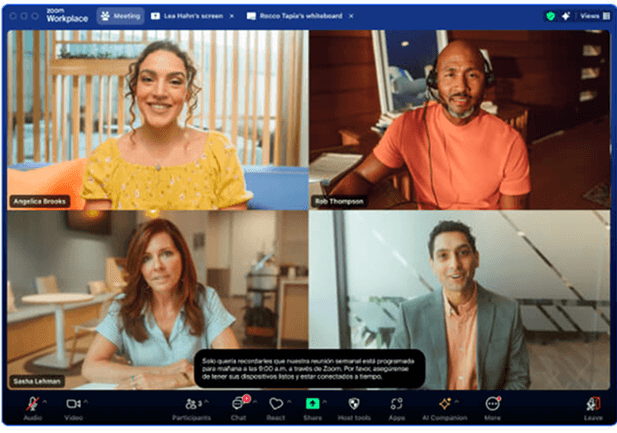
Zoom Captions: Setup, Chinese Translation and Button Fixes
Turn on Zoom captions, translate speech into Chinese, and fix missing controls. Learn which settings participants, hosts, and admins can change.
Simultaneous Interpretation Cost for Online Meetings
Budget online interpretation using published rates, team minimums and additional fees. Learn when to hire professionals and when to test AI support.
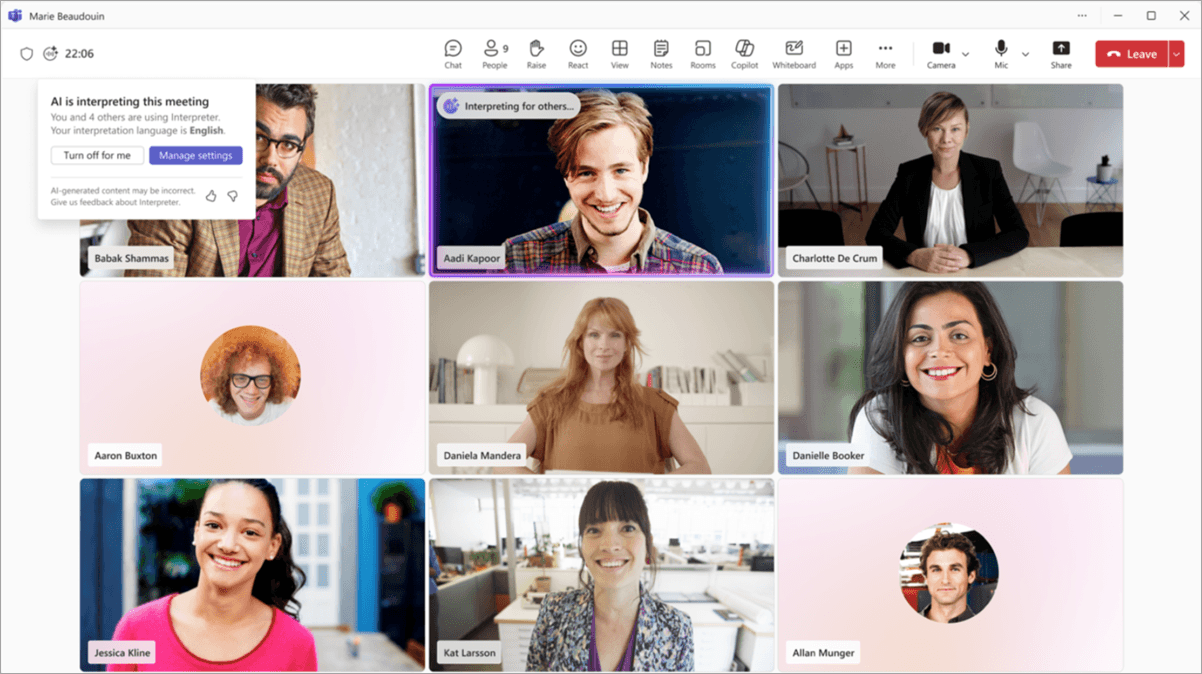
Teams Interpreter Agent License: Copilot and Guest Rules
Check Teams Interpreter agent license requirements, guest restrictions, translated caption access, and costs before buying Premium or Copilot.
Stay in the loop
Get the latest Deeptrue updates and industry insights delivered to your inbox.