


The best real time Chinese translator depends on where the conversation happens and whether you need to read Chinese speech, send spoken Chinese back, or both. Use a phone conversation app for short exchanges around one device, investigate native translation when everyone can use the same meeting platform, and consider a desktop translator when the supplier chooses the app. For contracts, formal negotiations and other consequential discussions, use a qualified human interpreter.
Official documentation checked: November 13, 2026. This is a documentation-based comparison, not a hands-on benchmark. Deeptrue details come from its November 2026 product fact sheet.
How do you choose the best real time Chinese translator?
Start with three questions:
- Which desktop app did the supplier invite you to use? Check the actual invitation—not just which platform your company prefers.
- Do you need to understand their Chinese, have them hear your translated response, or both? Captions on your screen do not mean the supplier hears Chinese audio.
- Do you need both languages retained afterward? Live captions, saved transcripts and recorded interpreted audio are different deliverables.
This guide focuses on online supplier, buyer and partner meetings—not camera translation, travel tools or language-learning apps. The practical test is whether you can discuss specifications, minimum order quantity (MOQ), unit prices and delivery dates on the platform already in use.
How do the four approaches compare?
The table summarizes the documented workflows as of November 13, 2026. Where a capability is not established, that means you should verify it—not assume it is unavailable.
Approach and examples | Works with the invited meeting app? | How you understand the supplier | How the supplier receives your Chinese response | Extra setup or entitlement | Original-plus-translated record | Cost model | Choose it when… |
|---|---|---|---|---|---|---|---|
Phone conversation apps: Papago, Google Translate | Documented as phone conversation workflows; desktop microphone routing is not established here | Translation displayed or played on the phone | Spoken translation through phone playback; Google also documents headphones | Select the language pair and conversation workflow | Papago saves translation history; that is not a speaker-labeled meeting transcript | Verified consumer app downloads are free; do not infer unlimited meeting features | Participants can take turns around a phone |
Built-in meeting translation: Zoom, Teams, Tencent Meeting | Within the relevant platform, subject to account and feature eligibility | Translated captions or separately enabled AI interpretation | Feature-dependent: Zoom documents projected translated speech; Teams and Tencent have separate interpretation access conditions | Eligible subscriptions, add-ons, licenses, versions and host settings | Varies: live captions, saved original text, translated text and interpreted audio have different retention rules | Platform subscription, add-on, individual entitlement or credits | Everyone can use the same platform and the required features are available |
Desktop AI meeting translators: Deeptrue | Works alongside supported desktop meeting apps | Live Translated Caption shows original text and translation in an overlay | Interpreter Mode sends AI-generated Chinese speech through Deeptrue Microphone | Only the translation user installs Deeptrue; others stay in the meeting app | Original and translated transcripts saved with speaker labels | Included minutes plus per-session limits, depending on plan | The supplier chooses the desktop app and you need incoming captions plus outgoing translated speech |
Qualified human interpreters | Arrange platform access and the interpreting format before booking | Interpreter conveys the supplier’s speech | Interpreter conveys your response in Chinese | Booking, preparation materials and an agreed meeting setup | Specify a separate written record or recording if required | Hourly, half-day, full-day or flat-fee quote; minimums may apply | The consequences warrant professional involvement |
Treat incoming comprehension, outgoing speech and recordkeeping as three separate checks. A product can satisfy one without satisfying the others.
When are Papago and Google Translate enough?
Papago: useful for turn-taking around a phone
For teams already using Korean-language tools, Papago is a practical first option to investigate. Its documented conversation workflow is straightforward:
- Select the two languages and open conversation mode.
- Alternate between the two language microphones as participants speak.
- Listen to the spoken translation with automatic playback enabled.
- Tap a translation to play it again, or revisit results in translation history.
These steps come from Papago’s conversation guide. Its service overview lists Korean, English, Japanese and Chinese in Simplified and Traditional forms, but that overview is not a feature-by-feature language matrix. Confirm the required pair in conversation mode.
Translation history is useful for revisiting an exchange. It should not be described as an automatic, speaker-labeled meeting transcript.
Google Translate: check the current Live Translate workflow
Google’s Android Live Translate documentation describes a conversation workflow in which participants take turns speaking and translations play through the phone speaker or headphones. Its language list includes Chinese in Simplified and Traditional forms, English, Japanese and Korean.
Select the conversation languages and test the playback route before starting.
For both apps, phone playback is different from sending translated audio into a desktop meeting microphone. The reviewed phone workflows do not establish that a supplier on WeChat or Teams will receive your translated voice directly.
Does offline translation cover conversation mode?
Not necessarily. Papago’s offline guide documents text and voice translation between Korean, English, Japanese and Simplified Chinese after downloading the required packs, subject to device requirements. It explicitly excludes conversation mode.
A free download or an offline language pack does not establish free, offline interpretation inside every calling app.
What about Papago Plus?
Papago Plus is separate from the consumer app. Its real-time voice translation guide lists Korean, English, Japanese and Simplified Chinese as input languages, saved editable records, and text/audio downloads. The documented monthly allowances are 60 minutes for Basic, 120 for Standard and 180 for Advanced.
Those recordkeeping features deserve consideration. However, the reviewed page does not establish virtual-microphone delivery into WeChat or DingTalk, so verify the outgoing-audio workflow before buying it for supplier calls.
Do meeting platforms translate speech or just captions?
Some now do both, but the requirements differ by feature. The following distinctions reflect documentation checked on November 13, 2026.
Zoom: captions and Voice translator have separate requirements
Zoom translated captions require an eligible host subscription or an assigned Translated Captions add-on, with automated and translated captions enabled. Caption languages include Simplified Chinese, Traditional Chinese, English, Japanese and Korean; participants choose from languages enabled through the host’s settings.
Zoom Voice translator has different prerequisites: the Live Translation add-on or ZoomMate, feature enablement, and Zoom desktop version 7.0.0 or later on Windows or macOS. The checked voice-language list includes Chinese, English and Japanese, but does not list Korean. ZoomMate advanced AI use incurs AI Credit costs.
Zoom is therefore not accurately described as captions-only. Its October 19, 2026 release notes document Translate My Voice, which projects translated speech to other participants. Listeners do not need the Voice Translator add-on merely to hear that speech, but need it to adjust Voice Translator settings such as language and volume.
For an English–Chinese call, check the voice feature specifically. For a Korean–Chinese call, do not infer voice support from the Korean caption listing.
Teams: organizer caption access does not establish Interpreter access
Teams translated captions are available through Teams Premium or Microsoft Copilot. An eligible organizer makes translated captions and transcription available to all participants; an individually licensed participant can use them without extending that entitlement to everyone else. Caption support includes Chinese variants, English, Japanese and Korean.
The spoken Interpreter agent is separate. Microsoft’s administration guide lists Mandarin Chinese, English, Japanese and Korean for speaking and listening. Individual-user prerequisites include eligible Microsoft 365 and Teams licensing plus Microsoft Copilot. Copilot includes 20 interpretation hours per user per month, with further access subject to capacity.
The external-supplier restriction matters: Microsoft says external participants can use Interpreter through verified Microsoft 365 accounts with valid Microsoft Copilot licenses. Anonymous participants and guests cannot use it because their identity and licensing cannot be verified. An invitation alone is not sufficient.
For records, Teams says live-caption data is deleted after the meeting. Its transcription guide also distinguishes live translated transcription from storage: the original transcript is stored, but past live-translated transcripts are not. This does not describe every separate post-meeting translation product.
Tencent Meeting: distinguish captions, transcription and AI interpretation
Tencent Meeting documents three relevant features:
- Meeting captions: the caption guide lists Professional, Business, Enterprise and education editions as eligible. It documents Chinese–English translation with simultaneous original and translated display, plus additional languages on specified higher editions. Host/co-host controls affect participant access.
- Transcription: the transcription guide documents bilingual live display, post-meeting transcript files and PDF, Word or plain-text export. Participant export is permission-controlled. Post-meeting text translation is documented, but every bilingual export layout is not established.
- AI interpretation: the AI interpretation guide requires version 3.42.0 or later and lists Mandarin Chinese and English as listening targets. Participants enable it to receive translated speech; hosts can prohibit it. The interpreted audio is for live listening and is not retained in recordings.
Tencent’s version 3.29.0 release notes, released in October 2024 and checked for this November 2026 comparison, list Chinese, English, Japanese and Korean among 17 translation languages for Business and Enterprise editions across captions, live transcription and the post-meeting recording page. That is not the AI interpretation listening-language list.
The AI interpretation page also describes a limited-time free period without an end date. Do not treat that as a permanent free entitlement; check the actual account.
These are Tencent Meeting findings, not proof of equivalent VooV native features or plans. For a separate desktop workflow, see Chinese translation alongside Tencent Meeting.
Where does a desktop translator such as Deeptrue fit?
Deeptrue is a desktop app for macOS 13+ and Windows 10+. It supports Chinese, Korean, Japanese and English among 31 languages and works alongside Zoom, Microsoft Teams, Google Meet and Webex, as well as the desktop apps of WeChat, Tencent Meeting/VooV Meeting and DingTalk.
This is a working-alongside workflow, not a native or API integration. It is relevant when a supplier sends a WeChat desktop invitation or requires DingTalk, and you want to keep the original meeting app.
The workflow has three parts:
- Understand incoming Chinese: Live Translated Caption displays the original spoken text and its translation as a semi-transparent overlay over the meeting screen. This is a reading workflow, not incoming spoken interpretation.
- Send a Chinese response: in Interpreter Mode, speak in your own language. Deeptrue delivers the translation in an AI-generated voice through Deeptrue Microphone, which you select as the microphone in the meeting app.
- Keep a bilingual record: after the meeting, automatic transcripts save the original and translated text with speaker labels.
Only the person wanting translation runs Deeptrue. Other participants need no Deeptrue installation or account, and no meeting bot has to be invited. They still use the original meeting app.
Custom Instructions / Add Context can use meeting files, scripts or notes to improve suggestions. That is not a guarantee of correct technical terminology or error-free translation.
The scope is desktop use—not a Deeptrue mobile app, browser extension or hardware interpreter. Test your required spoken variety and writing system rather than inferring them from the label “Chinese.”
How would you handle a factory call about a revised order?
The following is a hypothetical workflow, not a customer story or product test. An English-speaking buyer joins the supplier’s chosen desktop app to discuss a 20.0 ± 0.2 mm component, USD 1.80 per unit, 1,000 units and a proposed shipment date of December 1, 2026.
Before the call: prepare a checked specification sheet
- Create a short English–Chinese sheet with the SKU, material, dimension, tolerance, currency, unit price, quantity and requested shipment date. Fill in the actual SKU and material rather than leaving them to interpretation.
- Have a competent bilingual reviewer check the Chinese wording before circulating it, especially technical terms and dates.
- Ask whether the order meets the supplier’s MOQ. MOQ means the minimum quantity the supplier will accept; it is not automatically the quantity you intend to order.
- Test one incoming explanation and one outgoing clarification using the actual app and account roles.
Use the same test sentences regardless of approach:
- “The quantity is 1,000 units, not 10,000.”
- “Please confirm the dimension is 20.0 millimeters, with a tolerance of plus or minus 0.2 millimeters.”
- “Is December 1, 2026 the shipment date or the arrival date?”
With a phone app, test alternating speech and playback around the device. With native meeting translation, verify your listening settings and the supplier’s access separately. With Deeptrue, test the caption overlay and then select Deeptrue Microphone for outgoing speech. With a human interpreter, provide the same specification sheet in advance and agree on turn-taking.
During the call: verify critical values in writing
- Put 20.0 ± 0.2 mm, USD 1.80/unit, 1,000 units and December 1, 2026 in chat or a shared document.
- Discuss one field at a time. Avoid bundling a tolerance correction, quantity change and delivery question into one sentence.
- Ask the supplier to repeat the agreed value and compare it with the written sheet.
- Keep shipment and arrival separate: leaving the factory is not the same milestone as reaching your warehouse.
This is a verification process, not a guarantee. If the audio, caption and written specification disagree, stop and resolve the discrepancy.
After the call: send an explicit confirmation
Compare the saved original and translation where available, then send a short written summary. For example, if these values were agreed, write:
Please confirm our revised order summary: [SKU/material], component dimension 20.0 ± 0.2 mm, unit price USD 1.80, quantity 1,000 units. Proposed shipment date: December 1, 2026. Arrival date remains unconfirmed. Please identify any corrections or outstanding conditions.
Have the Chinese version checked before sending when the stakes warrant it. Keep proposed terms and unresolved points clearly labeled; do not rely on an AI transcript alone to determine what was agreed.
What will each approach cost?
Compare the cost of the complete workflow—not just the download or advertised feature.
Option | Verified purchasing model as of November 13, 2026 | What to check before paying |
|---|---|---|
Consumer Papago and Google Translate | Free downloads in the cited Korean and US App Store listings | Whether the specific language pair and conversation workflow meet your needs; download price does not establish unlimited meeting interpretation |
Papago Plus | Plan-based voice-translation allowances: 60, 120 or 180 minutes monthly | Current price, required input language and how translated audio will reach the supplier |
Native meeting tools | Eligible platform subscription, add-on, individual license or credits, depending on feature | Host eligibility, external-participant access, language direction and record retention |
Deeptrue | Free, Pro and Business minute allowances with different session limits | Monthly workload and longest uninterrupted call |
Human interpreter | Hourly, half-day, full-day or flat-fee quote | Minimum booking, preparation, cancellation terms and any separate written record |
The free-download claims come from the consumer Papago Korean listing and Google Translate US listing. They do not establish the price of Papago Plus or every possible calling workflow.
What are Deeptrue’s minute and session limits?
Deeptrue’s published USD pricing for monthly billing is:
Plan | Price | Included minutes | Per-session limit |
|---|---|---|---|
Free | $0 | 60 minutes | Up to 30 minutes |
Pro | $29 per member/month | 300 minutes | Up to 100 minutes |
Business | $49 per member/month | 800 minutes | No per-session duration limit |
For an explicitly hypothetical workload, six 45-minute calls total 270 minutes. That fits Pro’s stated allowance and session limit. One uninterrupted 45-minute call exceeds Free’s 30-minute session limit.
This is allowance arithmetic, not a performance or savings claim. Business does not include unlimited monthly usage, and the Free plan’s 60 minutes should not be assumed to renew monthly.
For human interpreting, the American Translators Association’s buying guide describes hourly, half-day, full-day and flat-fee arrangements, including minimums and cancellation fees. Request a quote specifying the language pair, subject matter, preparation, duration and platform rather than relying on a universal “Chinese interpreter hourly rate.”
When should you book a human interpreter?
Use a qualified, subject-matter-appropriate interpreter for contract discussions, formal negotiations, disputes and consequential public events. This is an editorial recommendation based on the consequences of misunderstanding—not a claim that human interpreting is infallible.
Provide the interpreter with:
- The language pair and regional spoken variety.
- The technical subject and terminology.
- Whether you need consecutive interpreting, with pauses, or simultaneous interpreting.
- Specification sheets, agendas and previous correspondence.
- Platform access, duration and participant details.
- Confidentiality expectations.
- Any requirement for a separate written record.
Arrange the human interpreter separately from the meeting platform’s interpretation feature.
What should you test before the supplier joins?
Run this checklist on the actual desktop app and operating system, using the actual host and participant roles where possible:
- Incoming comprehension: can you understand the supplier through the selected caption or listening workflow?
- Outgoing delivery: does the supplier actually hear Chinese, rather than only seeing your untranslated speech or hearing your original language?
- Language fit: does the exact spoken variety work, and is the required writing system available? A script label does not guarantee a spoken variety.
- Records: what survives the meeting—original text, translated text, or audio? Who can export it?
- Permission: does company policy allow the audio processing, transcription or recording involved? Bot-free does not mean permission-free.
- Budget: do both the total minutes and longest session fit the plan?
Choose conditionally: a phone app for short shared-device exchanges; native translation when the platform and entitlements fit; a desktop translator when you need translation alongside the supplier’s chosen app; or a qualified interpreter when the consequences justify professional involvement.
If the desktop workflow fits, use the Chinese meeting translation guide for further planning and check Deeptrue’s pricing against your included-minute needs and session lengths. Start with the Free plan’s 60 minutes to test the workflow, allowing up to 30 minutes per session.
FAQ
Is there a free Chinese voice translator?
Consumer Papago and Google Translate are listed as free downloads in the cited storefronts and document spoken conversation translation. That does not establish unlimited, offline voice interpretation inside desktop meeting apps. Deeptrue’s Free plan includes 60 minutes, with up to 30 minutes per session.
Can I translate Chinese speech offline, including conversation mode?
Check the exact feature, language pair and device. Papago documents offline text and voice translation for supported pairs after downloading language packs, but explicitly excludes conversation mode. Do not assume that offline voice translation and offline conversation mode are interchangeable.
Do Zoom and Teams translate spoken audio, or only captions?
Both document spoken AI interpretation as well as translated captions, under separate requirements. Zoom’s October 2026 update documents projecting translated speech to other participants. Teams offers Interpreter agent, with its own licensing and participant-access rules. Check voice-language support separately from caption support.
Can an external supplier use Teams Interpreter without an eligible account and license?
Not under the documented access rules. Microsoft says external participants need verified Microsoft 365 accounts with valid Microsoft Copilot licenses. Anonymous participants and guests cannot use Interpreter because their identities and licensing cannot be verified. Organizer caption eligibility is a separate issue.
Can I keep both the Chinese original and translated text afterward?
It depends on the workflow. Deeptrue saves original and translated transcripts with speaker labels. Teams stores the original transcript but not past live-translated transcripts, and live captions alone are not retained. Tencent Meeting documents post-meeting transcripts and text translation with permission-controlled exports; confirm the required bilingual layout before relying on it. Papago’s translation history should not be treated as a speaker-labeled meeting transcript.
Related posts
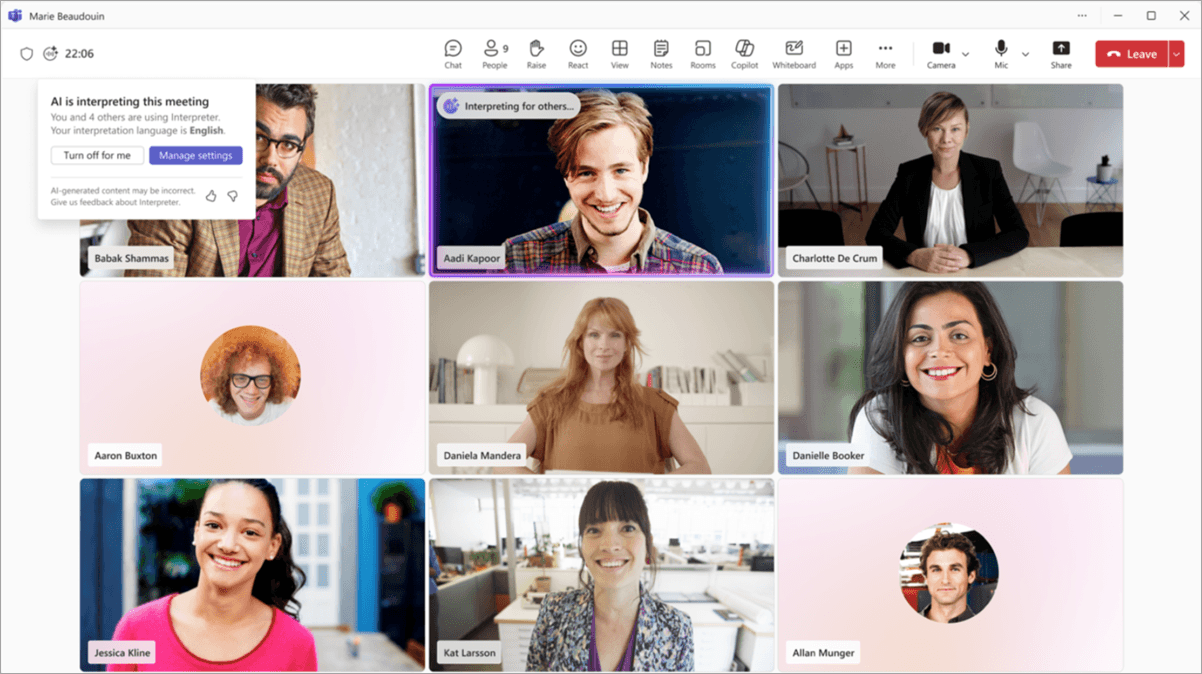
Teams Interpreter Agent License: Copilot and Guest Rules
Check Teams Interpreter agent license requirements, guest restrictions, translated caption access, and costs before buying Premium or Copilot.
Simultaneous Interpretation Cost for Online Meetings
Budget online interpretation using published rates, team minimums and additional fees. Learn when to hire professionals and when to test AI support.
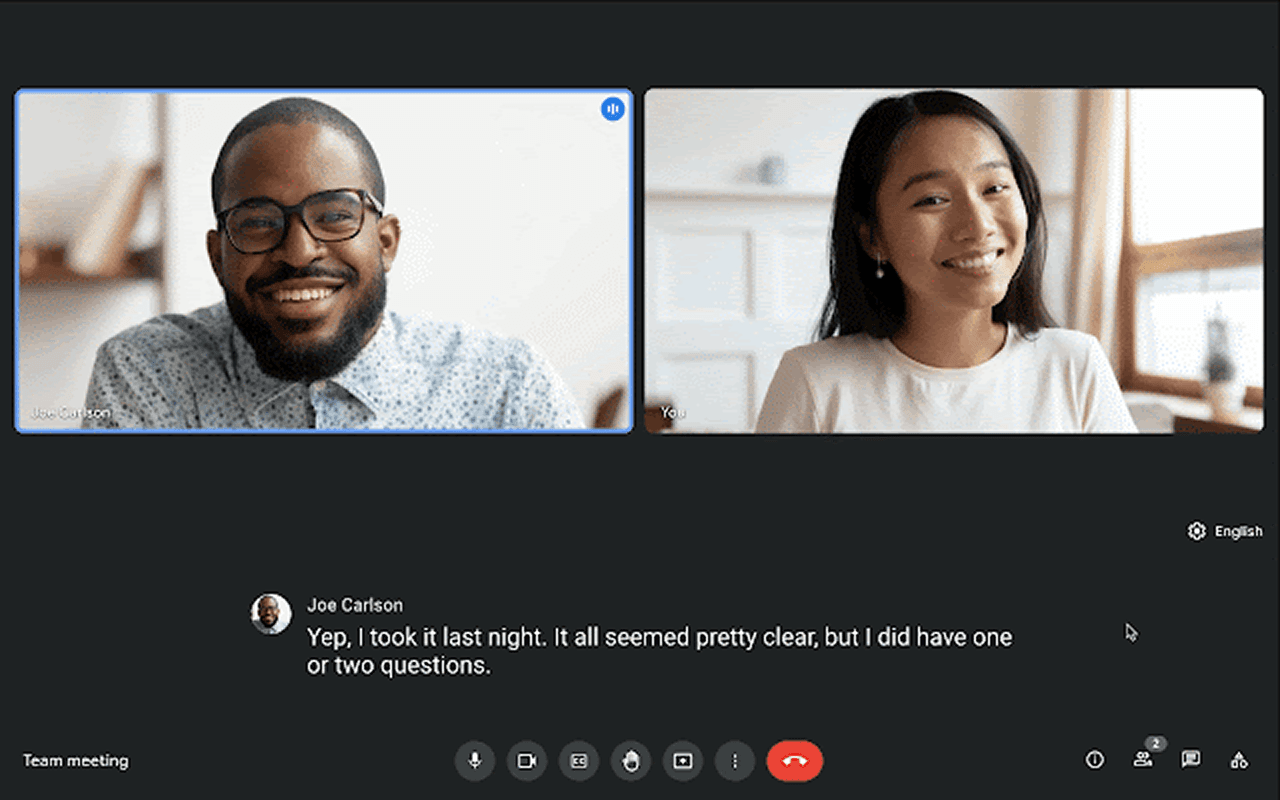
2026 Guide: Google Meet Live Translation & AI Voice Interpretation
Learn how Google Meet live translation and AI voice interpretation work in 2026, including plans, limitations, and a cross-platform alternative like Deeptrue.
2026 Guide: Microsoft Teams Live Translation & AI Voice Interpretation
Explore real-time translation and AI voice interpreting in Microsoft Teams. Compare Deeptrue, available on Zoom, Teams, Meet, and Webex.
Stay in the loop
Get the latest Deeptrue updates and industry insights delivered to your inbox.